Who it is for
It is for anyone about to post or send a photograph who wants to know what travels with it, and for the curious who want to see how an image file is built. You need not know what an APP1 segment is: the page names each part, and says in ordinary words when a location is present.
How it works
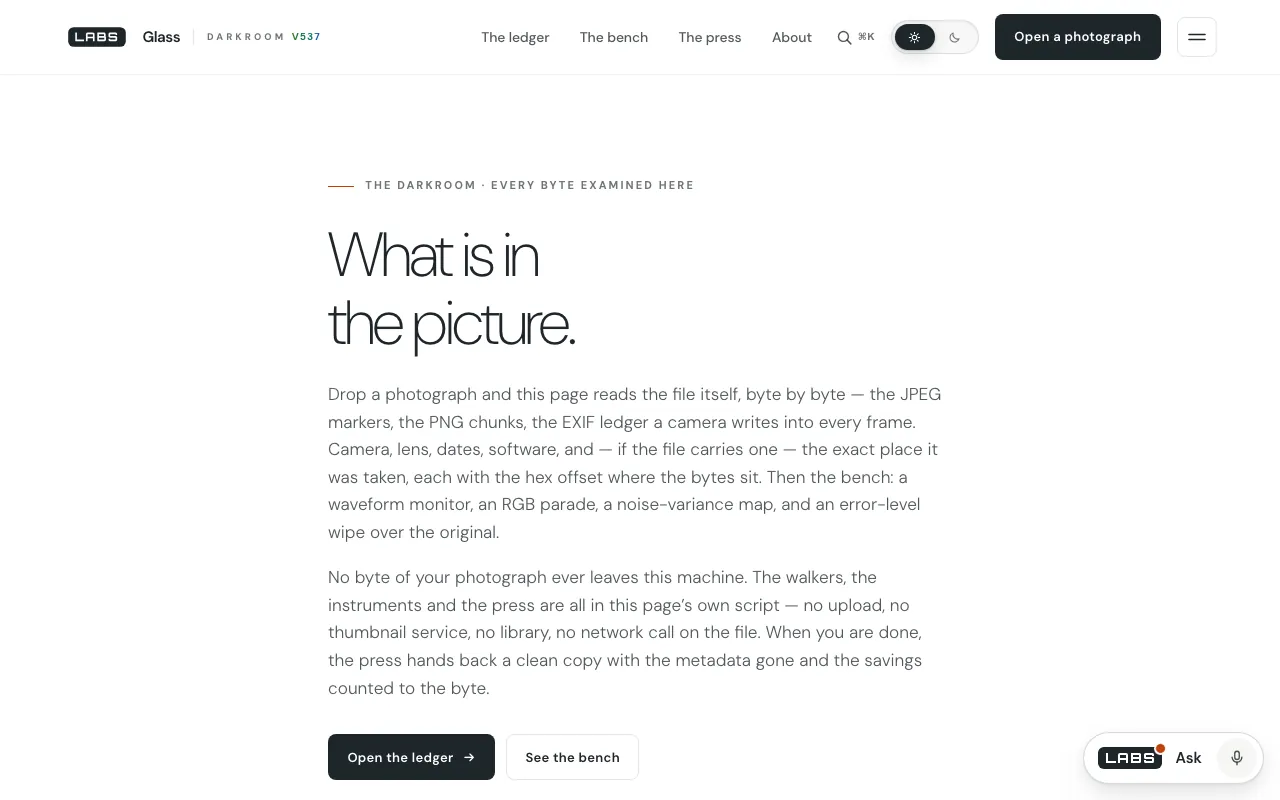
All of the work happens on your machine. The script’s own header says there is no fetch, no XHR and no beacon, and when we pulled the served file (50,406 bytes) the only “fetch(” in it was inside that comment. Glass recognises JPEG, PNG, WebP and the ISO-BMFF family (HEIC, HEIF, AVIF) by their signatures, then walks the container: JPEG segments, TIFF/EXIF directories including the GPS directory, PNG text and colour-profile chunks, WebP chunk flags, and HEIC boxes, recursively.
The walkers write into a ledger instead of straight onto the page. That is what lets the “press” — the clean-copy maker — read its own output back through the same code and name anything the browser’s encoder added. Beside the metadata sit four instruments that read the decoded pixels: a waveform monitor, an RGB parade, a noise map and error-level analysis (a re-encode at JPEG quality 0.75, amplified eighteen times).
What we tested
All times are UTC on 27 September 2026, measured against a copy of labs.llc build 537 served from our own machine, or against the public source the page itself calls.
- Page and script, served locallyPage 200, 56,399 bytes; app.js 200, 50,406 bytes; no network call in the script.
- The walker on a JPEG made from a macOS wallpaper11 segments and 16 fields, among them Software “Adobe Photoshop 26.0 (Macintosh)” at offset 150. No GPS.
- The walker on a geotagged test JPEGGPS decoded as 40.689167, −74.044444, the data sitting at offset 150.
- The walker on the original HEIC fileBrand heic, 53 boxes, a 6016 × 6016 px frame and 39 declared items, one of them EXIF.
We ran the page’s own walker code in macOS’s JavaScriptCore against those files, so the results are the code’s. The geotag was one we wrote ourselves, at a New York position.
How it compares
We checked each alternative’s own pages on 27 September 2026 and describe only what we saw there. Each gets the pick below when it does the job better.
Jimpl
checked 27 Sep 2026An online EXIF viewer. You upload a photo of up to 50 MB and it shows camera details, image properties, GPS (latitude, longitude, altitude, direction and speed) and copyright, and it will hand the photo back with EXIF removed. Its page says uploads are private and deleted after 24 hours.
Better at
- A simpler, familiar view for a quick look, with EXIF removal in one step.
- Accepts files up to 50 MB.
Where Glass goes further
- The photo never leaves your device; Jimpl’s own page says files go to its servers for a day.
- Shows the container itself — every segment, chunk or box, with offset and length — and each field’s hex offset.
- Walks its own clean copy to prove what is left, and adds four pixel instruments.
ExifTool (Phil Harvey)
checked 27 Sep 2026A Perl library and command-line program for reading, writing and editing metadata. Its site lists EXIF, GPS, IPTC, XMP, ICC profiles, Photoshop IRB and maker notes from Canon, Nikon, Sony and others, and says it recognises tens of thousands of tags across RAW, video, audio and document formats.
Better at
- Reads and writes vastly more, decodes maker notes, and removes or edits fields selectively.
- Scriptable across whole folders.
Where Glass goes further
- Nothing to install: a page a non-specialist can use, with a plain-words GPS warning.
- Pixel instruments beside the metadata, which ExifTool, as a metadata tool, does not present.
FotoForensics
checked 27 Sep 2026An online image-forensics service built around error-level analysis, with tutorials. It takes JPEG, PNG, WebP, HEIC and AVIF by upload or URL.
Better at
- Tutorials that teach you how to read an ELA result.
- Takes an image by URL.
Where Glass goes further
- Runs its ELA inside your browser rather than on an uploaded copy.
- Adds the byte ledger and a clean-copy press on the same page.
Where it falls short
- The clean copy is a re-encode, not a lossless strip. The press redraws the pixels through a canvas and saves anything that is not a PNG as a JPEG at quality 0.92, so a JPEG loses a generation of quality and a HEIC or WebP comes back as a JPEG.
- It is all or nothing. You cannot keep a copyright line and drop the location, and it does not edit metadata at all.
- Its tag tables are compact. A camera’s maker note is listed only as a number of bytes, “opaque, listed not decoded”; ExifTool decodes them.
- One photograph at a time — there is no batch mode.
Which one to pick
| If you need… | Pick |
|---|---|
| Know, before posting, whether a photo carries its location | Glassours |
| See a file’s structure byte by byte, offline | Glassours |
| Remove only some fields, or edit them | ExifTool |
| Clean a folder of photos in one go | ExifTool |
| Learn to read error-level analysis | FotoForensics |
| A quick look at a large file you are happy to upload | Jimpl |
The fit
Best for
- Checking a photo for a GPS position before it goes to social media or a stranger
- Anyone who will not upload a private picture to a website
- Seeing how a JPEG, PNG, WebP or HEIC file is built, with offsets
Not for
- Stripping metadata with no loss of image quality
- Keeping some fields while removing others
- Batch work, RAW or video files
Pick Glass if you want to know what a photo gives away without the photo going anywhere.
Sources for this review
- glass/assets/js/app.js in build 537 — header lines 1–9, ledger at 36–45, GPS at 164–189 and 553, instruments at 704–823, press at 842–891
- Jimpl, ExifTool and FotoForensics pages, each fetched on 27 September 2026 at about 20:04 UTC